Safe and Secure
24x7 Services
Play on Mobiles
Win Real Cash
Eassy To Play
24x7 Services
At Dragon vs Tiger, we are passionate about creating unique and immersive gaming experiences that go beyond the ordinary. Our team of dedicated game designers, artists, and enthusiasts came together with a shared vision of bringing the age-old battle between the mystical dragon and the fierce tiger to the gaming table.
Whether you are a seasoned card game enthusiast or a newcomer looking for a fresh and exciting challenge, Dragon vs Tiger welcomes you to join the battle. Unleash the power of the dragon, harness the strength of the tiger, and embark on an unforgettable journey where every draw of the card brings you closer to victory.
Learn More
Step 1: Enter the phone number and Enter the Password then click on login.
Step 2:if you are new user then click on register and fill.

Step 2: It show the home screen of game.
Step 3: There are many option like add cash , withdraw cash , settings,profile.
Step 4:If you want to play Dragon vs Tiger.
Step 5: Click on Dragon vs Tiger game. It will open dragon vs Tiger game screen.
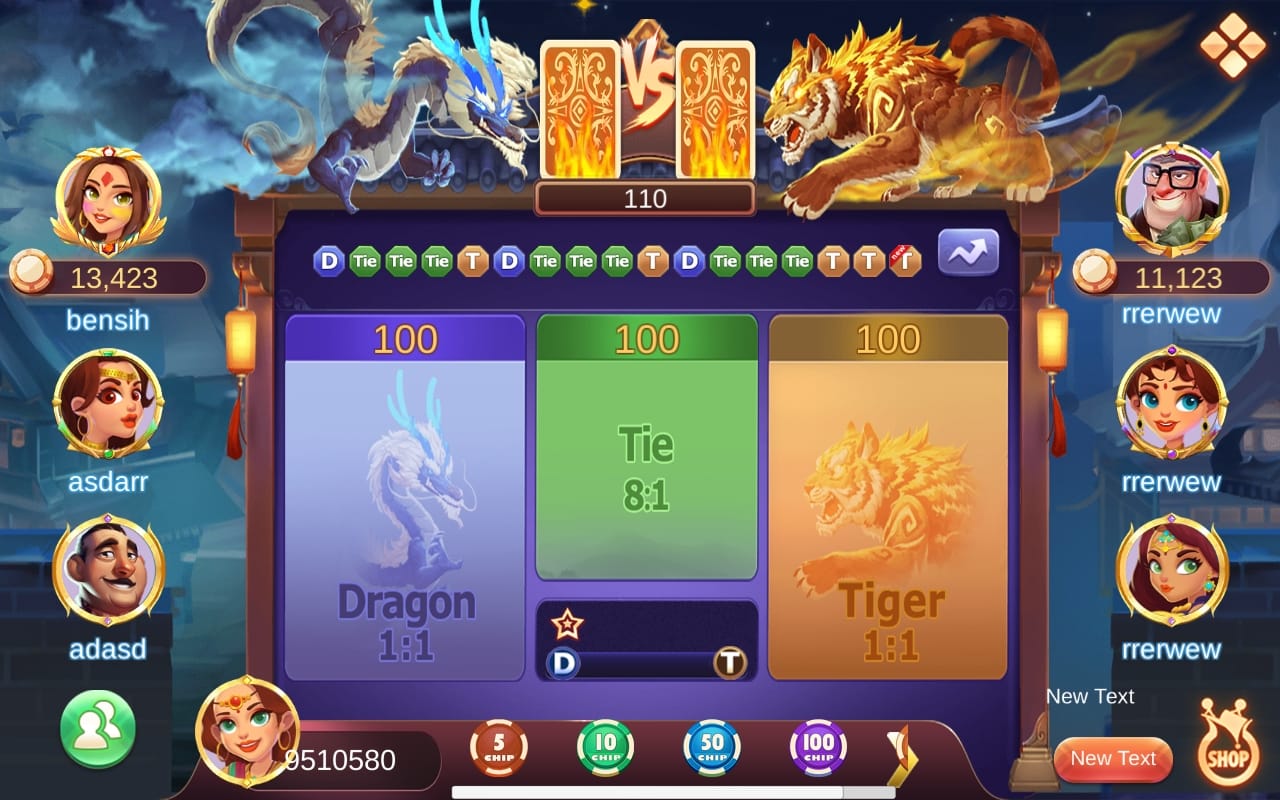
Step 6: Screen look like this.
Step 7: There are multiple options like. You can see chips, Points, battle profile. you can play with other players to.

Step 1:Click on + sign which is shown on profile right column side click there.
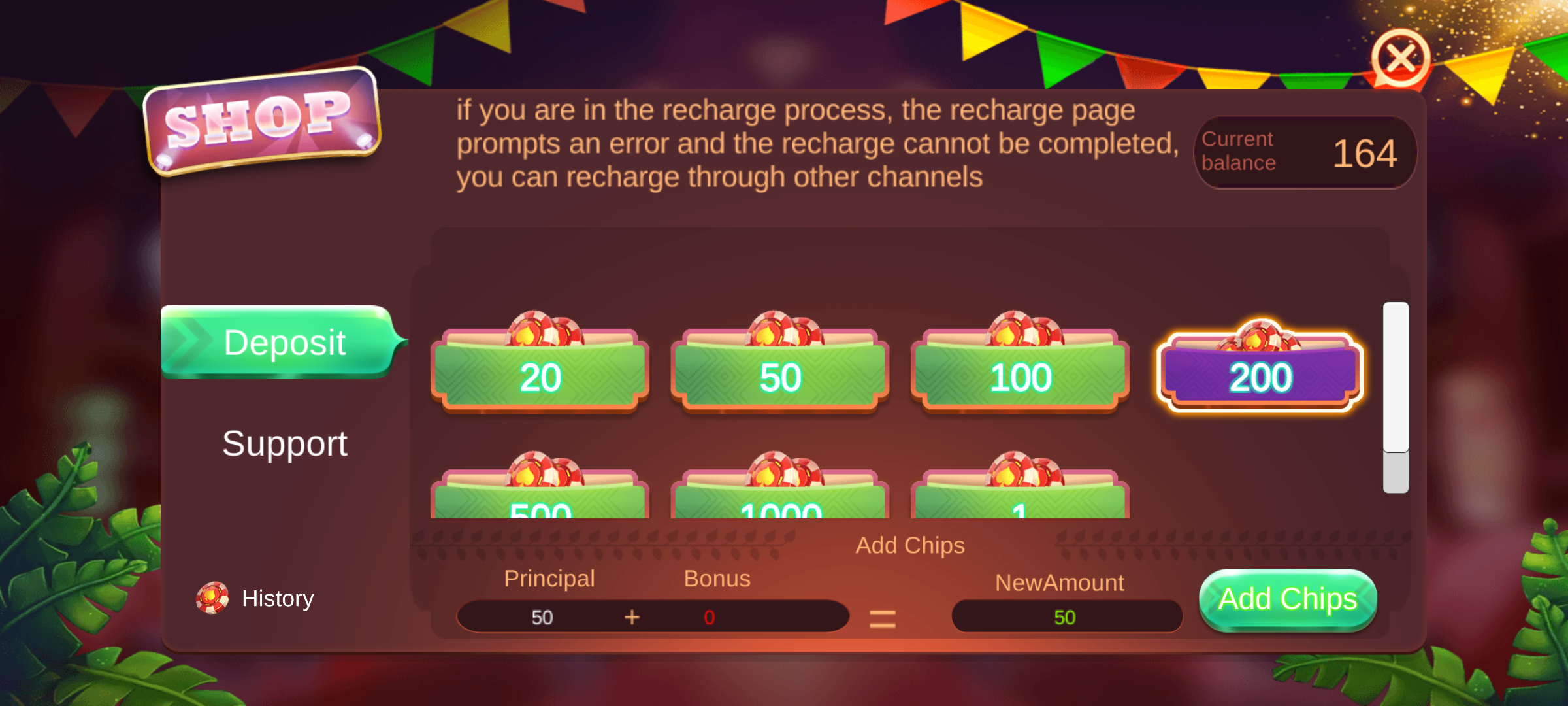
Step 2: Deposite screen display select chips for add & click on add chips.
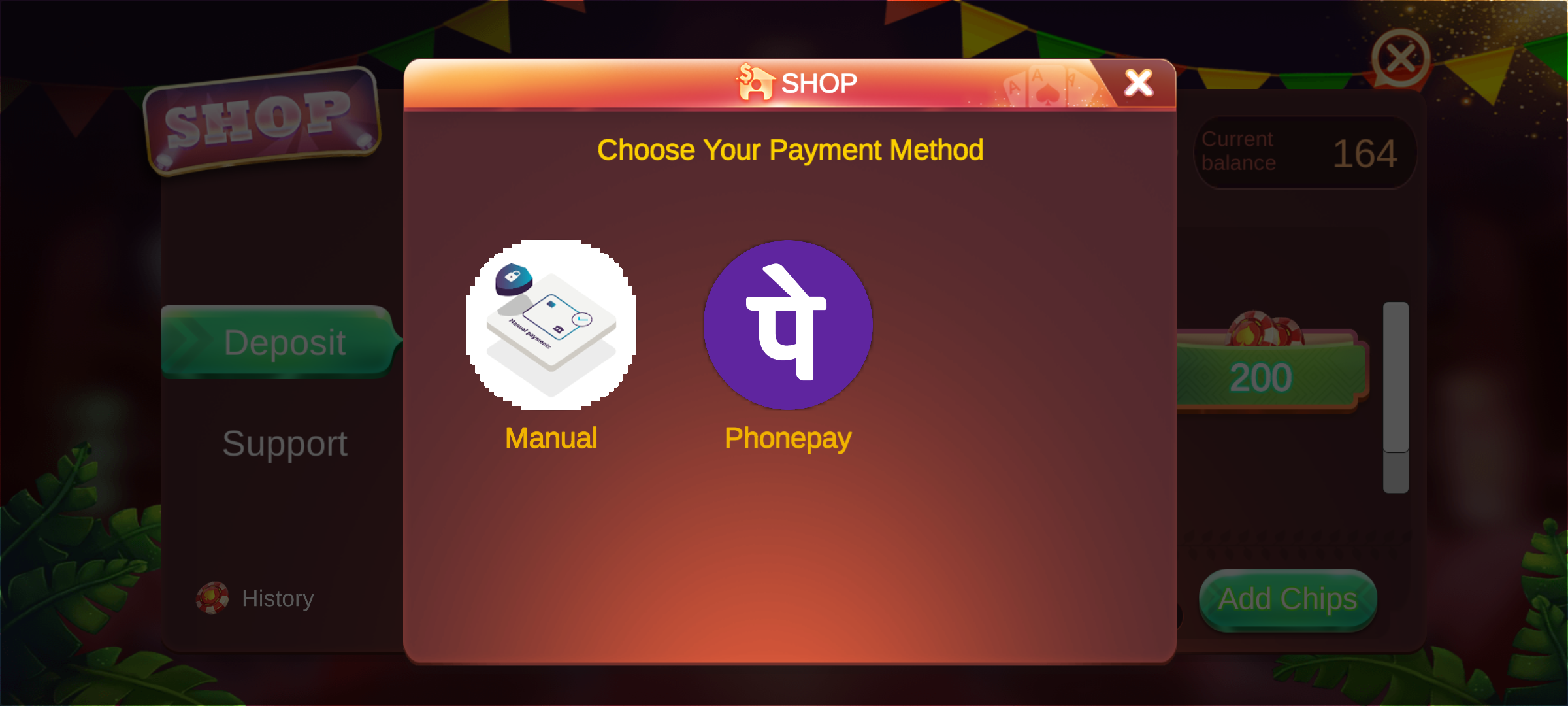
Step 3: It will display the payment screen select method and click on method.
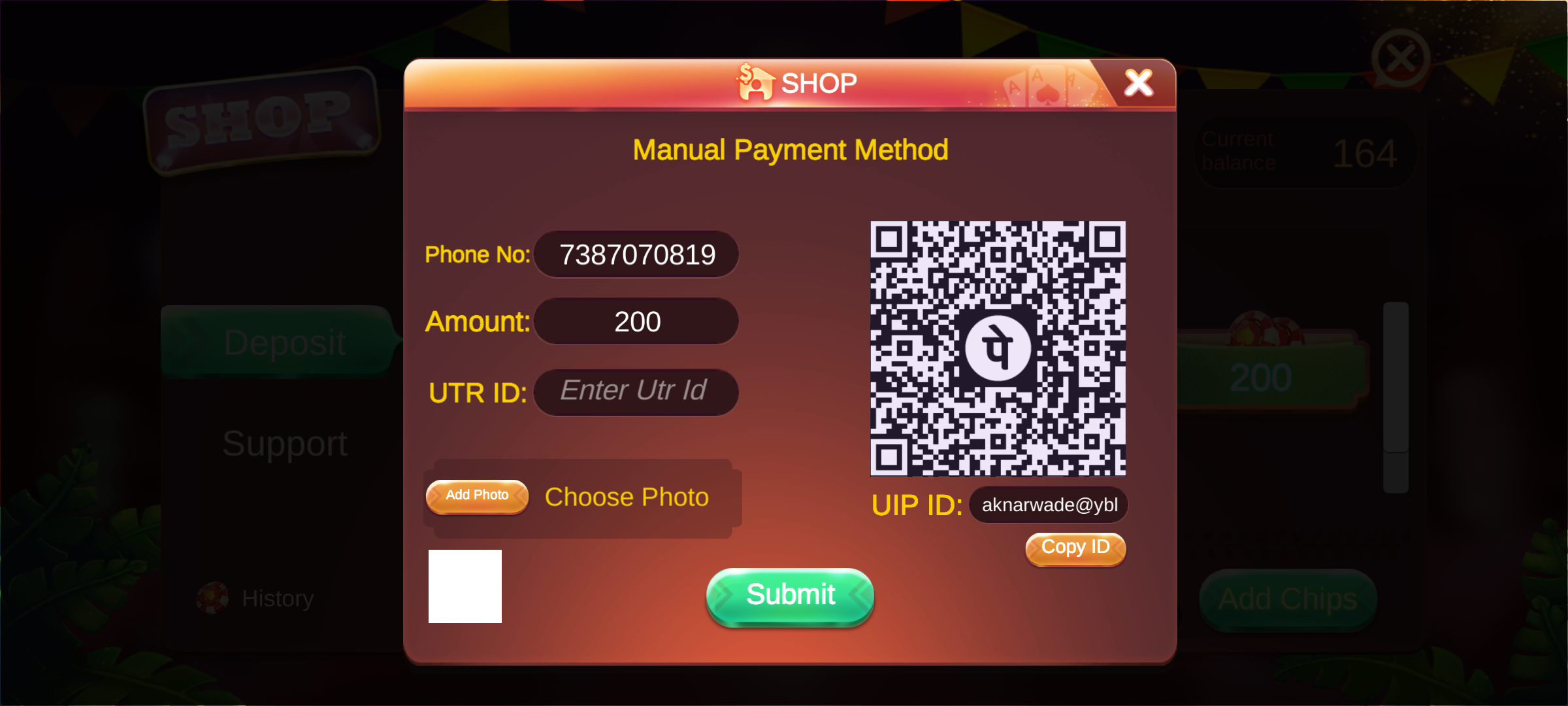
Step 4: If you select manuall method. it will show this screen you can fill all details to add cash.
Step 1:In Home Screen at bottom line you can see the withdraw option click there.

Step 2:Enter the phone number and fill further information.It will send OTP to number enter OTP.
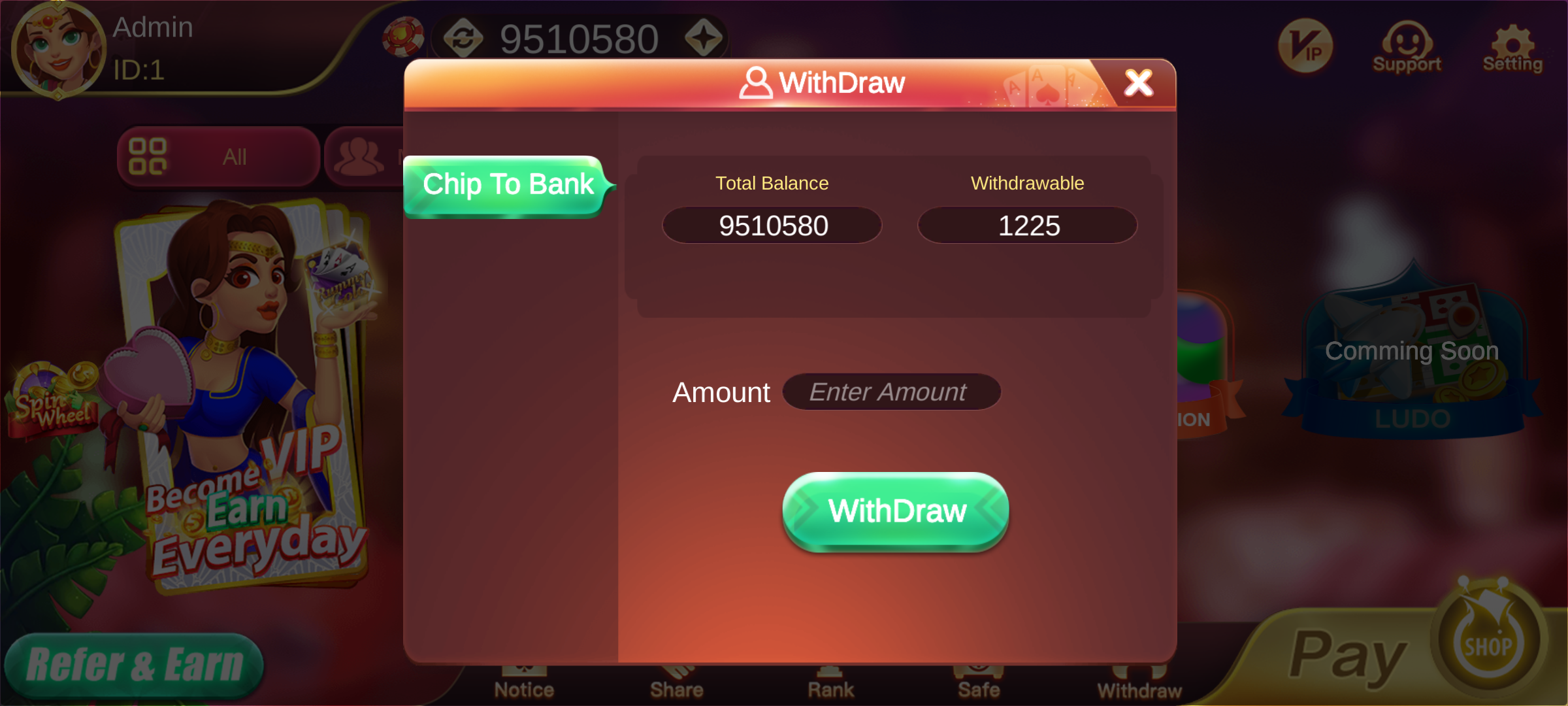
Step 3: It will display the Withdraw screen. Enter amount and click on the withdraw.